
Showing posts with label Blogger Tips. Show all posts

Sunday, November 11, 2012

4 Safe ways to make backlinks for your blog

We know the importance of backlinks for every site and blogs. The main objective behind making backlinks is to get good page rank. Before every page rank update we try to make more backlinks. It is good for our blog. Good page rank will help in getting more guest posts and direct advertisements.

But some bloggers or site owners doesn't think much about the safety features while making backlinks. They try to buy links and opt link exchanging etc. These tricks are bad seo and are against webmaster guidelines. So we must know the safe ways to make backlinks. Following are the safe ways to make backlinks.

Guest Posting 

This is the best and safe way to make backlinks to your blog. Post some guest posts on different blogs with your blog url. Try to post your guest post on good page ranked blog because it will help in increasing your blog page rank.

And select blog or site having the same blog niche as your site or blog. Because in that case, it will make the readers to visit your site or blog as well. In other cases, the readers might not bother to visit your blog. So it is always preferred to post guests posts on sites with same blog niche as yours.

Blog Commenting

This is an easy and fast way to make more backlinks, and more bloggers are adopting this way to make backlinks. Moreover, posting comments on other blogs will help in getting more traffics.

Why are most people opting blog commenting to make backlinks? Every guest post that we post may not be accepted by the opposite party. Hence, commenting on the same blog will help in getting links easily. But most of the top ranked blogs may not accept links on the comment which will make posting guest posts compulsory.

Social Networking Sites 

Today, there are many social networking sites on the internet. So you can make backlinks to your blog by signing up in social networking sites. These sites are top ranked sites. So getting links from these sites will help your blog to get good page rank. Moreover, sharing your post on these sites will help in increasing your blog traffics.

From Forums

You can make backlinks to your blog from forums which is also a safe way. Now there are lots of high page ranked forums. You can ask  questions and post answers to others questions along with your blog links.

Most of us have yet not tried forum for making backlinks. This is 100% safe. So just start making backlinks from these sources. Never try to buy a link or opt link exchanging.

Monday, November 5, 2012

Don'ts of blogging. A blogger must never do these things
A blog beginner does more mistakes on their blog. Consequently they are forced to stop their blogging career. Most of them don't know how to maintain a blog. They are unaware of what to do and what not to do. They start a blog with some good works and more bad works. That's why most of the bloggers stop blogging career in their early stages.

It is more important for a blogger to know the don'ts of blogging than the dos of blogging. Being unaware of what not to do in a blog causes the blogger to make more mistakes. Most of the bloggers only think about what is to be done to make a good blog, which is good. But at the same time we also need to know more about what is not to be done while blogging. Here are some basic things you must understand.

Copying Content 

Most of the blog beginners are doing this which will have a very bad effect on the blog. They copy content form other blogs or website and simply post it to their blog. This is is a big mistake.

This is one of the main points to be considered while starting a good blogging career. Never copy content from other blogs or websites. In case you have the habit of copying content then your blog will be removed from the search result by Google. Also you will never get good traffics.

Fake Information 

Writing and providing information to readers is important  you must know about what exactly you are writing. Make sure that the information provided is true and useful.

Because, if you are giving fake or wrong information you will face more problems from it. Also google will ban your blog from search result. So write what exactly you know, and avoid giving wrong information to readers.

Avoiding Your Viewers

Never avoid your viewer. Every viewer is important to you. Even if you have many readers you must give good place to all your readers. Other wise they will not visit your blog and your return visitors rate will decrease.

Reply and respond to your readers when they ask or request for any information through your blog comments. By the way you can also attract more blog viewers.

Thinking Blogging Is Only For Making Money

If someone asks you, "Why you start a blog?", what will be your answer? Most of you will have the same answer "Just for making money ". Money making is the reason why more blogs are coming up every day.

But never think blogging is all about making money, Just think that making money is only a part of blogging. Otherwise you will concentrate more on increasing your blog earnings and very less on your blog traffics which will have negative effects on your blog. So give first preference on increasing blog traffics.

Monday, October 29, 2012

Benefits of reading other blogs having same blog niche as yours

Whether you are a new blogger or an old blogger, you are not just visiting and reading your own blog, but also others blog. This will fetch us a lot of benefits. So almost all the bloggers continues to visit others blog. This means that there are a few bloggers who do not bother to visit other blogs. Hence this article is for those who do not visit others blog. In my honest opinion we must visit other blogs too. Some of the benefits that can be derived from visiting other blogs are discussed below.

Getting New And Trendy Information

If you are not visiting other blogs having the blog niche same as yours, you will never get any new and trendy information. Why must you post new information? New information are posted to create good impression.Google loves new and trendy content. And posting new and valuable content will increase your blog traffics.

At the same time more number of visitors will be attracted to your blog. It will automatically increase your blog revenue, your blog traffic rank  etc.But never copy the content from others blog. Just understand the topic and write it correctly in your own words as per your understandings.

Clarifying Your Doubt

All are not perfect. Every one may not know everything. Every blogger will have their own doubts about a particular topic. But some times we will not be able to clear the doubts by only reading the articles from a blog. At that time we can ask the article writer or founder to know more about it. This can be done through comments or emails.

Getting New Widgets

Bloggers use different types of widgets for their blog to make their blog user friendly and attractive. By visiting other blogs you will see new widgets that they have added on their blog. You can use the widgets in case you like any. If they have not written about the widgets, then you can ask the blog founder for the same.

Good Contacts With More Bloggers

If you are visiting other blogs you will get in contact with more bloggers. You can contacts with more than one bloggers from one blog through guest posts and comments. Also you can share your ideas and information with them and also ask them to write a guest post on your blog.

Saturday, October 27, 2012

Custom CSS code for intensedebate commenting systems

Intensedebate commenting system is one of the best system for the bloggers who are in need of changing their blogger commenting system completely to like WordPress commenting system. I had already posted about this intensedebate commenting system. And now here I am with a customized css code that can make your commenting style completely look like a WordPress comment system.

This is what makes intensedebate a good commenting system for bloggers.They allow customizing the comment system style by simply adding css code. So You can easily add the css code and then easily customize the style as per your wish.

How To Add Customized CSS Code?

Intensedebate allow you to add a customized css code. For adding customized code, go to settings on intensedebate account where you will see an option "Custom CSS". Click on the option and add the CSS codes given below. And then save the settings.

.idc-postnav-label { display: none !important; }
.idc-postnav-list { display: none !important; }
.idc-foot { display: none !important; }
#idc-container div.idc-text_noresize, #idc-container textarea.idc-text_noresize {height: 100px !important;}/*Pad and prepare new comment and reply comment boxes */

#IDCommentsNewThread {position: relative !important;padding-top: 80px !important;}
#IDCommentReplyForm1{position: relative !important;padding-top: 80px !important;}

#IDCommentReplyDiv{position: relative !important} /*Prepare reply comment for positioning */
#IDCommentReplyForm2{position: absolute !important; top: 31px !important; left: 20px !important;}
#IDCommentNewThreadForm2 {position: absolute !important; top: 7px !important; left: 0px !important;width: 100% !important;}

#luv_field_new {position: absolute !important;top: 10px !important;left: 0 !important;}
#luv_field_reply {position: absolute !important;top: 10px !important;left: 0 !important;}

#all_luv{font-weight:bold !important;} /*Bold the text for comment luv */
span#mylastpost img:first-of-type { display: none !important; }

What Changes Can Happened After Adding The CSS Code?

After adding the CSS code, there will be a major change happening in the intense-debate comment box. It will completely change the style of the comment box and will look like a WordPress comment box. No one will realize that it is a third party comment box.  After adding the code the comment box will look like the picture given below.


Following are the changes that will happen on a default comment box style.

1. Name,email and website boxes will appear above the comment box

2. intensedebate logo and comment luv image will be hidden

3. There won't be any login button

4. It will be a clean and neat comment box style.

Thursday, October 25, 2012

Why is your blog earnings increasing slowly?

Every blogger starts a blog for making money. And they work hard for it. But most of us fail to get good earnings from blog. There are several reason behind it. If you are starting a blog you must participate in any money making program for getting money. You can be a part of any ad publishing sites,affiliate marketing etc. Most of the bloggers make money from adsense. Adsense is the best way of making money from blog.

But simply adding adsense ads on your blog will not fetch you more earnings.You must concentrate on your blog and maintain it daily and also try hard to increase your earnings. Most of the adsense ads publishers get their first check after one year or so because their earnings is increasing gradually. Why is your blog earnings increasing slowly? The reasons can be-

Low Blog Traffics

Blog traffic is the main reason behind the gradual increase in your blog earnings. This is a normal thing. Without any visitors you will not get any ad clicks and page impressions. Nevertheless, you must have good traffics to get more earnings if you are using adsense or any other alternatives and affiliate marketing. Your blog must have a minimum of 1000 page views per day.

So just work hard to increase your blog traffics. You can increase your blog traffics by promoting your blog post through several ways.

Low Quality Content 

We bloggers always say "Content Is king". Yes it is true, It not only means a simple content, but a high quality content. If you are not posting high quality contents on your blog, you may face many problems like the Google effects. And also the low quality content on your blog can bring down your earnings. People will never prefer to visit your blog if your blog content is of low quality. And consequently your earnings will increase very slowly.

Incorrect Ad Placing 

Placing of the ads on your blog page is important for getting more earnings. If you are placing ads in correct place on your page you will get more clicks. You may refer the blogs of top bloggers to know the exact way of placing an ad. By doing that you will have better idea of where to place ads on your page. And also see the basic format of the placing an ad from the picture below.


More Ads On Single Page 

Some of the bloggers are opting this bad tricks for getting more earnings. They place more ads on a single page. It can cause chaos and confusion in the minds of the readers. And consequently they will quit visiting the page. Fast quitting will increase your page bounce rate. It will also cause a decrease in your blog earnings.

Manage and maintain your blogs without going for any tricks to get more earnings. Do post quality content and promote your blog. You will get good results from that.

Tuesday, October 23, 2012

5 Things to think before registering a domain name

Most of the bloggers start their blogging career from blogger platform or WordPress platform. Not willing to buy a domain name, they always use free service in the beginning. Only after their long experience of blogging they think about buying a domain name. And they go on with their plan of buying a domain name matching the blog name without thinking much about it.  . But this is not the best way of starting a blogging career. You must consider several important things before buying a domain name.

First of all you need to understand the importance of buying the domain name before publishing your first post. If you are changing your sub domain to custom domain after several months of using your blog, your site traffics will drop down and you will have to work hard to make more backlinks for your new domain name. Likewise, think about the following 5 things before registering a domain name.

Domain Name Length And Spelling Error

This is one of the common mistakes committed while registering a new domain name. That is spelling error. Even I had committed the mistake while registering my domain. So i can tell you, think before selecting a domain name.

And also avoid selecting long name for your domain. For example try to avoid domain names like "www.exampleofmynewdomainname.com". Just select short domain name like "www.example.com". It will help the viewers to remember them easily. And also avoid using tough words or those words that are difficult to pronounce to make the domain name.

Top Level Domain Extension

Domain name extension is another important thing to consider before registering a domain name. Mainly there are three top level extensions which are .com,.org and .net. Try to select any of these extensions for your domain name.

Register For Many Years 

Most of us buy a domain name only for an year. There are many reasons behind this. It can be lack of  enough money to buy domain for many years or it can be lack of certainty in continuing their site for long years. Any ways, if you are taking your site  seriously you must purchase a domain for at least 2 or 3 years.

Because search engine will always notice your domain expiry date and if you are registering for one year Google will list your domain under spam. So buy domain name for a minimum of 2 years.

Avoid Exact Match Domain Name

You must avoid exact match domain. Exact match domain means it is an exact match of top level domain for example "www.facebook.com". If you are registering a new domain name as exact match of facebook ex: "www.myfacebook.com", it will get effects of Google EMD update. So just avoid exact match domains as much as possible.

Try To Include Keyword On Domain Name

Adding keywords on your post title and post content is important for seo. Likewise including keyword in your domain name also can be a big benefit for SEO. But the keyword should be related to your site's topic. If your site is about blogger tricks you can add single words like blog or tricks in your domain. It will help your site SEO.

Tuesday, October 16, 2012

5 basic skills to become a good blogger

Most of us start blogging without thinking more and only after a few months we begin to think more about blogging. Some of the bloggers are getting in the top positions of blogging and some of them are discontinuing blogging after few months.
People have interest and ability to become one among the best in their selected field, whether it is career or arts or anything. So a blogger also need to have some few abilities or skills to become a good blogger. The blogger's interest in blogging is one important thing above all. A person should never enter the field of blogging without interest because it will not serve any purpose to you. Moreover, keep in mind that blogging is not a source of quick money. You need to put in a lot of hard work to get money.

Reading Skills 

Majority of us had hated reading as a student. Our teachers and parents had always forced us to read. And we never liked it. But in blogging you should never hate reading. This is one of the important skills that a blogger must possess. You cannot move forward with a  blog without reading.


How reading ability helps a blogger? if you are a person who considers reading as a lethargic activity, then it will fetch you a lot of trouble in blogging. You will lack  information and you will not get any new and latest posts to  update in your blog. A blogger must read other blogs or sites for getting new and valuable information, and also search for new information on the internet. So ability of reading is a big part of blogging.

Writing Skills 

A blog and a blogger cannot exist without possessing writing skills. A blogger must have the ability to write well. While writing a blog post, write it for others and not for yourself or for the search engine. Write with simple words so that all levels of people can understand your article. Avoid writing 1000 and above words in an article. Keep track of the word limits. Nevertheless, people will always hate reading posts with more number of words or with large content. But more number of words and large content is good for SEO.

So when you are writing a blog post consider these things also. Try your best to present the information well.

Listening Skills 

What is the role of listening skills in blogging? Listening skills is one of the important ability that a blogger need to have. You will not succeed in blogging without listening skills. No blogger can know everything. So listening to others will always help in getting more new information. The size of the information does not matter. But quality and completeness matters.

Listening to other bloggers and media will help you to increase your blogging skills. And you will get more facts and information about your blog niche. So always listen when others are talking. And grab what you need.

Have Good Patience

If you have good patience you can always succeed in any filed. So a blogger must have good patience. There will be times when your blog traffics and earnings will decrease. Neither feel nervous nor disappointed about such things. And never discontinue working on your blog. Just wait for some more time with patience.

Many bloggers discontinue blogging in very short time. The main reason behind this is the lack of patience. So if you want to become a good blogger you must have good patience.

Management Skills

We know how a manager performs their career and how important they are in a company. Similarly, a blogger is the person who manages their blog. You need to have good ideas about managing your blog. The time when you are posting or making links or designing or arranging pages etc. And always promote your blog post. There are many commitments in managing a blog. So understand all those things and keep blogging.

Monday, October 15, 2012

How to file a complaint on google DMCA if your content is copied

Many bloggers especially the beginners copy the content from other sites and paste them on their blogs. The posts from my blog too were copied by other bloggers. This is the reason why i m writing this post. Today i filed a complaint to the Google DMCA for the same reason and for removing links from the Google search result. This service provided by Google is very beneficial for the real owners of a site because we know how difficult it is to make a blog post. And it is frustrating to see others  copying the content and decreasing our traffics. This is not real blogging. So just avoid copying others content and their hard work and skills.

It may happen to your blog post as well. So you can check this from several sites or else even manually from Google  If you find any site with your content copied and pasted on it, then you can file a complaint to google DMCA. Google will remove the post link of those who copied your content from the google search result. And your blog traffics will come back to you.


How To Start On Google DMCA 

If you see any of your posts being copied and if you are the copyrighted owner, then you can file a complaint on Google DMCA.

Go to google DMCA and select the product you are using. This post is for bloggers who wants to file a complaint about their blog. So such bloggers need to select the product as blogger/blogspot.

After selecting blogger/blogspot, a new option will be displayed under that for specifying the nature of your request. Among that, select "I have found content that may violate my copyright".

Then mention that you are the copyright owner by clicking "Yes". Then again select   "Yes" to proceed forward. Next select "text". Then you will see a form link at the end of the instructions. Click on "this form". And it it will open a new page of the form.

How To Fill The Form 

It is important to read the information given on the form page before filling the form. The following steps will help you to start with the form.

1#. First write your contact information by writing your first name and last name.

2#. Enter your company name in the second column. This is not compulsory. If you don't have a company name, you can leave it blank

3#. The third column is for full legal name of the copyright holder. If you are the copy righter owner write your name.

4#. The fourth column represents your contact email address and the next column is for selecting your country.


Your copyrighted work 

In your copyrighted work section you will see three columns. Firstly, it is "where can we see authorized example of the work?". Enter your  copyrighted  post link in this column.

Secondly, it is the "Identify and describe the copyrighted works" column. Describe your work. For example, copy some lines of your copyrighted post and paste it to this column.

  Thirdly, there is a column for posting the location of allegedly infringing material. This talks about where you have seen your copyrighted content other than your blog. Copy the post link and paste it to the column.

Then last steps are sworn statements. check the two boxes and then make a signature. Signature is nothing but your first name and last name. Then submit for processing request.


Sunday, October 14, 2012

Policies that should be strictly followed by an adsense beginner

Normally adsense is described as the money generating machine. It is true. Adsense is a money generating machine, but only for those who use adsense carefully by following all the polices. Such bloggers can make more money from it. Otherwise their adsnese account will get banned. And they will never get a new adsense account on the same payee name.

If you are a beginner in adsenese you must read the policies and follow all of them strictly. But bloggers neither read them nor do they follow these policies. Only after their adsense account gets banned, they start thinking about the policies. First of all you must understand Google is a big company and they know everything. People can't cheat them easily. So just follow the policies for keeping your money generating machine for life time.

Never Click Your Own Ads 

Clicking their own ads is the biggest mistake an adsense beginner do and due to this their account gets banned. A beginner always think about ways to make money quickly. And in the first day of getting adsense account itself they start clicking their own ads. And the second day their adsense account is banned.

So never click your own ads. It will surely not serve you any good. There are no secondary things that you can do to get back your adsense account. So you must believe in these polices

Never Ask Others To Click Your Ads

Some adsense beginners avoid clicking their own ads. But they ask their friends or others to click the ads. Some time they give ad title as "click on the ads" or "for get more info" etc. These activities also will get your adsense banned.

Even if you are asking your friends living in other states or other countries Google will catch your invalid activities. So never do these tricks for getting ads clicks.

Avoid Adding Adsense Ads On Violated Sites 

You must check if your site has any violated content or not, and if any copyrighted things are added or not. And also follow the Google webmaster guidelines. If your site have any violated content just remove the content and also check your webmaster tools. If they are showing any messages about your site being under Google violation, just remove the ads from your site otherwise your adsene account will be banned.

Third Party Advertising Providers Ads

You can use third party advertising provider's ads with your adsense ads on the same page. But there are some conditions that apply for this. Never select advertisers providing ads like adsense ads. In case of any similarities on the third party advertisers ads and google adsense ads, then it is against the adsense policies. It may also become a reason behind your adsense account getting banned.

Monday, October 8, 2012

How to add tweets to your blogger blog post

Now most of the bloggers have stopped taking the screen short of the tweets for updating any post like Matt Cutts tweets or any others. They directly posting the tweets on their blog post. So there are some people who knows how to add the tweets to blog post and yet others who do not know.
I am sharing this post for those who do not know to add tweets to their blog post. Anyone using WordPress and bloggers can add tweets to their blog post.

Adding tweets to your blog post is not difficult. It is as easy as adding an YouTube video to your blog post. Moreover, the tweet will be displayed on the blog post just the way it is displayed on your twitter home page

 How to generate the code?

In twitter, you have an option to embed the tweets. But most of them have not noticed this option. So i will help you to get the embedded code.

Go to your twitter home and click on the tweets which you want to post to your blog post. On clicking the selected tweets, you will see an option "Details" below. Click on the details for getting the details about the tweets. After that you will get the individual tweet in a new page with full details.


Below that, beside the date you will see an option "embed this tweet". Click on  it and you will get the code in html format


There you will be given three options namely Html, short code and link. You can select as per your wish. Copy the generated code and paste it on your blog post. It will look like the one given below. And also you can customize the alignment of the tweets to left,right,center and none.


Thursday, September 27, 2012

What is the need for posting daily on your blog

Each day more number of blogs are launched on the internet. Every blogger have one or more blogs. After the coming of social media sites, most people are starting a blog.Some starts blogging career with only one aim which is to make money, while others take their blogging career seriously along with the basic aim of making money. But those who only look for making money from blogging always discontinue their blogging career after a few months because they always think about money and not about the post content. They do not try to post quality content. This is why they fail in their blogging life.

If you are taking your blogging career seriously, try to update your blog daily with new and quality content. Posting daily will help to grab more benefits for you and your blog. Some of the benefits are shared here.

Blog Will Be More Fresh And Active 

Posting new and quality content daily will make your blog more active for a long time. It means your blog will be fresh and active. Posting quality content daily will help to crawl your blog daily on Google which will thereby try to index your new post to search engine.

Alexa Rank Will Increase 

Most of us know that Alexa rank is very important for bloggers. So most of the bloggers believe in the alexa ranking strategy.  Updating blogs daily will increase the alexa rank.

If you are not posting daily on your blog, your alexa rank will not increase. Moreover, your ranking will come down automatically. So posting daily helps to increase your blog alexa rank. The daily posts not only helps in increasing your alexa rank, but it also helps in increasing your Google page rank.

Increasing Blog Traffics 

How daily updates helps blog traffics? After posting on your blog, publish your post on social media sites. This is done to promote your new post. This will help in generating more number of visitors, and your blog traffics will increase.

And also your blog will be shown first on Google search result. This will also help in getting more traffics on your blog. And obviously your blog earnings will also increase.

Increasing Your Blogging Interest And Skills

In case you are updating your blog daily, it will make you to think new and quality content for posting. This will provoke you to search for new topics which will help you to increase your blogging skills. At times you will have to search other blogs for getting new topics. You will get more information from other blogs also.

Also it will make you more regular. When you aren't posting daily it will make you  lazy and  will completely destroy your blogging career. So you must try to update your blog daily.

Readers And Subscribers Will Be Happy 

If you have more number of readers and subscribes, they will visit your blog daily. Generally they visit for any new post and new information from your blog. If you are not posting daily they will be disappointed with your blog making them to unsubscribe from your blog. And also your blog bounce rate will increase.

If you are updating your blog daily, readers and subscribers will be happy and satisfied. But you must post new, quality and very informative content on your blog. Or else, they will get bored with your blog

Wednesday, September 26, 2012

How to get guest posts on your blog

In the first few months, all bloggers write and post on their blogs themselves. Later they change their thinking to accepting guest post. But getting guest post directly from the writers is little bit difficult. It should have some qualifications which is nothing but your blog page rank. Your blog must have good page rank because writers write guest posts mainly for top level domains and top google page ranked sites only. If your blog does not have these quality, then getting guest post is difficult.

But now you have a platform for getting guest post, which is from the website "my blog guest". I am receiving many guest posts from this website on my blog guest sites. You can also offer the writers for publishing their post on your blog through this website. If the writer accepts your proposal for publishing their post on your site then you can post it. This is the best way to get more guest post for your blog.

How To Start With "My blog guest" For Getting Guest Post

First you need to go the site "my blog guest" and make a free account. Next,  go to article gallery for selecting guest post. In articles gallery you will see lots of categories. Select the category based on your blog niche. There are lots of guest posts available in each category. Select one based on your need.

 The post mentions all details including the post heading,author,category, number of words, user rating etc. Below the user rating, there are two options namely offer(free) and preview. Clicking on preview will show small preview of the post. If you want to offer the post just click on offer(free) and make your offer. then click OK. The offer will be send to the post writer.

Once the guest post writer accepts your offer, the post will be given to you and it will be seen in the "articles given to me" option. Just copy the post and publish on your blog.


More On "my guest post"

The website offers more. You can submit your guest post in the site "my guest post" which will help in getting more valuable backlinks from the top ranked sites. It is an easy way for accepting the proposals of guest post from top ranked sites. Bloggers will offer you to publish your post on their blogs.The need to ask them to post your guest post on their blog does not arise here.

Also, you have another option for getting guest post through forum. Go to forum and select looking for a guest author and submit your topics to the forum. The writers will connect with you for submitting their guest post on your blog.

They also provide infographics. Select the infographics based on your blog niche. Post and publish it on your blog.

From now start selecting guest posts from my guest post site and make your blogging career even more easier.

Monday, September 24, 2012

5 Tricks for getting more comments on your blog


Are you a blogger, posting many posts on your blog? Don't you get much comments on your blog? Do not worry. There are a lot reasons behind why you don't get much comments.
Getting blog comments is a good encouragement for bloggers. Their blogging interest will increase with the responses from the readers. But if you want to get more comments you must work hard. And readers also need interest to post comments on your blog.

Do you think getting comments is important for bloggers? Yes. Because readers express their knowledge,doubts and regards through their comments. All bloggers are not perfect. You might get additional information from your readers also and they can encourage you to write more posts. So getting comments is more important for bloggers.Here I am writing several tricks for getting more comments on your blog.

Write New And Quality Content

Bloggers usually say "content is the king". Yes, it is true. If your writings are good and are quality content, obviously you will get more comments. Because readers can't ignore any quality content making them to leave at least one comment.

If you are writing new topics you will get comments very quickly. People usually have many doubts about new topics. For example if your are writing i phone 5 reviews, people might ask more doubts because it is a new topic.

Make Your Blog Do follow 

Most of the bloggers are making their back links through blog comments. So if you want to get blog comments quickly just make your blog as do follow blog. And mention that your blog is do follow to your readers.

Add Third Party Comment Box 

Adding third party comment box is very useful for those who are using blogger platform for their blog. Because normally blogger platform users get very less comments. But if they are using any third party comment box, their blog comment will increase.

Now more third party comment boxes are available, mainly disqus, intense debate etc. So just use these types of comment box for getting more comments.

Ask Question To Your Readers

You must give some time gap before replying your reader. You can ask some questions about your niche or create some suspense to your readers. By this you can make the readers more curious to know what is next so that they can ask you to tell all the details through comments.

Add Commnetluv Widget 

Commentluv widget is one of the best and popular widget. Most of the top bloggers are using this widget for their blog comments. If you are adding this to your blog, you will get more comments.

The commentluv widget will show commentator's blog or site post below their posted comments. So they will get traffics and backlinks from it. So most of the blogger  try to search commentluv enabled blogs for commenting.

Note:  # You must enable moderation for your blog comments

           # Never  moderate any spam comments to your blog

           # Check whether posted comments are related to your blog post.

Tuesday, September 18, 2012

Why is alexa rank so important for blogs


Alexa is the web information company which gives full details about a website including its traffics stats,search analytic,site audience,bounce rate,backlinks and many more. And the alexa also developed tool bar for giving better ranking information. Alexa gives the rank on each domain. They shows the global rank,country level rank and also district rank. So it is more helpful for all site or blog owners.

But some of them are never believe the ranking strategy of alexa.They only believe the Google page rank. But in my opinion alexa rank is also important just like Google page rank.You must work hard for improving your alexa rank. Because the alxea ranking is based on several strategies like page views,backlinks,bounce rate etc. Google ranking is also based on almost these strategies. But alexa ranks updates daily.

Alexa rank is important for blogs, isn't it?

Yes, because most of the bloggers understand their blog popularity based on their alexa rank and obviously based on their Google page rank also. So your blog alexa rank is more important like google page rank.

If you are giving any ad space for direct advertisement, you must have a good alexa rank. Most of the companies are giving direct ads based on site alexa rank.

Alexa rank helps to develop blogging interest in bloggers through their daily updates. Most of the bloggers check their blog alxea rank daily. If it is increased they will happy. So in order to get a good alexa rank all bloggers are working hard.

If your blog rank is 100k, alexa will start to show a graph of your blog. So getting 100k rank is also important. Try to work hard for getting rank upto 100k. After that it will automatically increase your rank. In my opinion 100k can be considered as a better alexa rank. Now I am also trying my best to reach 100k.

In alexa you can also understand the number of backlinks, the backlinks are showing up to 100 after which it will count but will not show the name of the linked sites. Anyways, the count will help more for predicting next Google page rank.

How to increase your alexa rank ?

 #. Claim your blog to alexa

 #. Add alexa widgets to your blog.

 #. Add alexa toolbar to your browser

 #. Make more backlinks.

 #. Post good and quality content

 #. Update your blog daily

 #. Ask readers to post reviews

These are the basic things you must do. Then the rank will increase automatically.

Saturday, September 15, 2012

Google panda and penguin effects checking tool


We, bloggers always think and seek for a genuine and valuable tool for checking Google panda and penguin effects. There are more scam tools available on the internet. We all try to avoid those scam type checker and always wait for a new and better one.

Google panda and penguin update is one big headache for all bloggers. They always scare the bloggers with the upcoming updates. And now the latest panda update 4.0 is almost complete. Also the bloggers are waiting for a big algorithmic change in the Google penguin updates. So this is the time making most of the bloggers confused about the effects. Will the algorithm change effect their blog or not? This has made them to check their Google analytic a number of times.Here is a tool for checking Google panda and penguin effects.

Panda And Penguin Effects Checking Tool 

The tool is developed by Baracuda. This is not based on the checking domain name. This tool works with your Google analytic details. So If you want to check your panda effects you must have Google analytic account with your blog.

Before the launch of this tool I had been checking panda effects through Google analytic. Not just me, most of the blogger  do the same thing. If any traffic is dropped in the analytic on the panda updated date, then it means that the blog is caught by Google panda. So we confirm the effects by making this check.


The same is happening in the penguin tool as well. Just go to penguin tool and login with your Google analytic account. Allow penguin tool to access your analytic data by. Then it will automatically collect your analytic data from your Google analytic and show a graph same as your Google analytic. But there is some difference here. Inside the graph you can see all the updates of Google panda,penguin and other like a cross line. It shows all the updates.

So you can check the line whether the traffic is dropped or increased on the line. If traffic is decreased you are under the effects of either panda or penguin. And for minute checking just drag or select the part you want see which will zoom the particular part. You can check your graph properly when zoomed. In contrary to the name of the tool, it is not confined to the penguin updates but it also shows panda and Google's other effects. So I must say this is a good and proper checking tool for bloggers and website owners.

Friday, September 14, 2012

WordPress style comment box for blogger blogs


Most of the bloggers search for making their blog comment box like WordPress comment box. Almost all of us hate the blogger default comment box. Once we comment on WordPress we will like WordPress comment box only. This is because WordPress comment box is simple and neat. There is no compulsory sign in process  before submitting a comment. So most of the bloggers are loving WordPress comment box.

Here is a solution for making your blogger blog comment like WordPress comment box. This plugin is offered by the website "intensedebate". So this plugin have no relation with your default blogger comment box.But you can customize the option from your intensedebate account.

What Are The Benefits Of Intensedebate Comment Box 

Why are the intensedebate comment box users using  their blog default comment box? The answer is very simple. Because it has more benefits. It looks neat and simple like WordPress comment box. And users can customize comment box easily with what they need.

Now most of the bloggers comment on other blogs, not just for encouraging the blogs and bloggers. But also for getting some valuable backlinks. In WordPress, blog have an option for typing your website URL. So you can make backlinks easily by posting comments.

In "Intensedebate" users will be made available with more plugins like commentLuv,share buttons etc. Also comment with WordPress,twitter, Facebook account. And you can enable Akismet spam filtering.

How To Install Intensedebate Comment Box 

1#.First you need to create an account in Intensedebate by clicking signup and verifying your email.


2#.Then login to your account. In your dashboard you will see an option "Install intensedebate" under manage blogs/sites . Click on it.


3#.Then enter your blog or website URL in the column. Then click on next step


4#.choose your platform which you are using for your blog.


5#.Before installing go to your blog new interface and download your blog template. And save it on your computer. Then again come to intensedebate installation step where you can see 5th step. Browse your downloaded template and click on "upload file and continue"


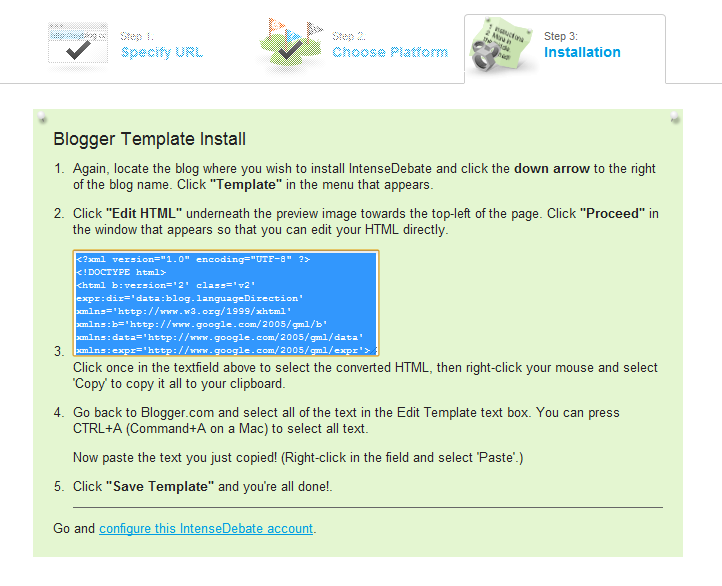
6#.Copy the given html code and replace your blog template html code with the copied code. Then save your template.


You can customize your comment box by selecting your site. There are more options included for you. So just check it out.


Tuesday, September 11, 2012

Increase blog earnings through affiliate marketing


Most of the bloggers start their blog with a main motive of making money. And they always think that Google adsense is the only way to make money from blog. Actually Google adsense is one of the best platform for making money, and there are other alternatives available on the internet. But a blog beginners may not  know about these alternatives, and even if they know, they will not believe in these alternatives. Thereby they only publish adsense ads on their blog. By any reason if their adsense account is banned, they completely stop blogging career and feel blogging is bore.

Actually bloggers can make more money from affiliate marketing. It helps a blogger in making more money compared to adsense.Its free and easily available. Now lots of affiliate marketing providers are available in the internet. Select the best providers and join.

How Affiliate Program Works

Basically affiliate program is nothing but promotion of some products.If you are promoting some products through your blog or website making your reader or visitors to purchase any product you will get some percentage of commission. The commission is based on sales,clicks and signup etc.

If your blog have more traffics you must try to apply for affiliate program. There are no minimum qualifications for getting approved from affiliate program. But selection of program is important.Try to select program based on your blog niche.

Earn From Referrals

Most of them never mind about the referrals of affiliate marketing services. All are just observing only on a high commission offering sites. But you can earn from referrals also. Linkshare is giving $1.50 per signup. So you can make more from linkshare referrals. When you signup in Linkshare it will automatically approve your referrals program and get links.

Why I am saying this is because there is no cost for signing up in linkshare publisher account. So if you are referring this site to your readers you will get $1.50 per signup. It is a great idea to increase your earning.

Wednesday, September 5, 2012

How to promote your blog through Facebook


Facebook is very useful for bloggers. Facebook users are increasing day by day. Facebook is considered as the king of social media sites. Promoting a blog through social media site is a very good idea and its even more better when done through facebook. In facebook we can see all type of users so we will get more traffics from it. In facebook there are many option for promoting your blog.You can select these ideas for promoting your blog.

What is the need to promote your blog? A new blogger need more publicity for getting more traffics quickly. There are lots of ways for getting traffics. Social media sites are one such way. It helps in getting traffics more quickly. In facebook there are lots of tricks to promote your blog. Read the following to understand more about it.

Create Facebook Ads

Creating ads on facebook is the best idea for promoting your blog. You can create an ad on facebook and promote your blog. You can customize your ads and your audience as per your own wish. And facebook offers ads at cheaper rate.

Most of the bloggers are using facebook ads for promoting their blog. Any one can make ads on facebook easily by following a few simple steps. In the end you can make your payment through credit card or co-branded debit cards, Paypal etc.

Create A Page 

Facebook page is one of the best options for users. Every blogger has a facebook page for their blog. The facebook pages are made by bloggers mainly to share their updated post. This will make the page fans visit the blog and thereby your traffics will increase.

You can also share funny photos and amazing pictures on your fan page. But try to  mark your blog url on the pictures. If your fans are sharing your photos then the mark will help other people to know about your blog.

Share Post To Groups

Now lots of groups are available in facebook. Search for these groups on facebook and send a joining request to the groups. If they accept share your post to the groups as well. Try to send request to groups with more members. Because in that case the request will be accepted quickly and also your blog will be promoted at large.

Commenting on others post also helps in promoting your blog. After writing your comment include your blog url along with the comment. At lest one will visit your blog by this.

Post On Your Friend's Wall 

Post your blog link and your blog pictures on your friend's profile. You can tag your blog named photos with url links on your friend's wall. It will help to promote your blog. And also share any interesting post on your friend's wall. Ask them to share your post with their friends as well.

Tuesday, September 4, 2012

How to manage a blog easily


Why people start a blog? most of them start a blog to make money. That is not considered to be bad. Now any one can make a blog as there are many free blogging platforms available. So starting a blog is not difficult.But Managing a blog is a little bit difficult. Many of them don't know how to manage a blog. If you are not managing blog in a proper way, it will not make a good blogger and a blog.

When you have made a blog and if you are taking your blogging life serious,  you must follow some important things.First of all you must know how to mange your blog. Here I am writing about how I manage my blog. So read the following.

Publish A New Post Daily

The reason why you need to publish a new post daily is that when you are publishing daily, your blog will be indexed in Google search quickly because your blog is crawled by Google everyday. So your blog needs to be up to date. And also publishing a new post will increase your alexa rank and google page rank. And by this way your blog traffics will also increase.

Please note that mere posting some content daily is not enough. Because your post should  have a good quality. Sometimes making a quality contented post will take one or more days. So understand well about your post and after that write and publish.

Daily Check Webmaster Tools 

Checking Google webmaster tool is good for your blog. Because google webmaster tool shows everything about your blog. It shows your blog health,traffics,crawl error, Malware etc. In case if any errors are shown, understand the error and clear it.

Most of them are using google webmaster tool because it is free and it will show all types of warning messages and error reports. So checking webmaster tool daily is must to make your blogging life more easier.

Think Only About Blog Traffics

Most of the bloggers think only about money. First they check their blog monetize tab and their daily earnings. If it is more than the previous day, they will be happy but if it is below than the previous earning they will be disappointed and they tend to loose interest to publish a new post. This is not good for a blogger. Never think about your earnings. Just leave that and start thinking about your blog traffics. Try to increase your blog traffics.

If your blog traffic is decreased than previous day or week, think more about it. Not for your earning. When your traffics is increased your earning also will increase automatically. So always give first preference to traffics.

Check Blog Comments And Give Reply 

You must check your blog comments daily, and approve it. Never approve any spam comments as it may effect your blog. If you are responding your incoming comments quickly, your commentators will be happy to commenting on your blog.

And also reply blog comments. If you are not replying, readers will not be interested to comment on your blog. Try to give reply to all commentators. Also reply to the questions asked by the readers if any.

Make More Backlinks 

When you get any free time try to make links to your blog. If you get more backlinks your page rank will increase and also your blog traffics will increase. Easy way to get backlinks is by posting comments to other blogs and writing guest posts. These are the tricks followed by most bloggers for getting more backlinks. So don't waste your free time just try to make more backlinks.

Monday, September 3, 2012

Two Most used blogging platforms in 2012

After the coming of social media sites, internet users are increasing. On top of that, many try to make money from internet without investing money. People with such thinking of making money from internet starts a blog. But most of them don't know how to start and which platform to opt for blogging etc.These questions comes automatically in their mind.

Today, a lot of free blogging platforms are available. Most of them are good and have many users. But it is difficult for a beginner to select a good platform. They cant try out all the blogging platforms and then understand the differences. So here I am helping you to understand which platform is better in a different way.  From this you can understand the best blogging platform to start your blog.

Blogger


Blogger is Google owned free blogging platform. It is hosted under blogger. It comes with unlimited space and are good for search engine optimization SEO. This is best to start a blog, even better for those new to the field because in this platform it is easy to understand everything including publishing a post,editing, customizing etc.

Now in blogger blogs have lots of free template. You can customize your template color, size and also more widgets are available. In blogger, blogs are published as  sub domain name. You also get an option to buy the custom domain from blogger itself. It allows to monetize your blog with Google adsense and other alternatives. So you can easily make money form it.

WordPress


Now most of the professional bloggers are using WordPress.org as their blogging platform. Any one who had started their blogging career in blogger.com are converting their blogger platform to wordpress platform. Because WordPress platform is more customizable than blogger. And you can make it as a self hosted blog. Also WordPress has more templates.

WordPress are now available in two versions. One is self hosted blogs and the other one is hosted blog. Self hosted blog comes in wordpress.org and hosted in wordpress.com. The users of self-hosted blog are comparatively more. It is easy to use and customize.

Related Posts Plugin for WordPress, Blogger...

ShareThis

Twitter Delicious Facebook Digg Stumbleupon Favorites More